Written October 31, 2026. These tools and skills change every few weeks, so if you repeat the test your numbers will be a little different.
So I wanted to do this post, we will cover it in a video shortly, about security and how its important to do something. We all know the business of coding and hopefully we all know the faster we code with AI the faster people can break into the stuff we build. Its super important we do checks while and after we code.
What we have here is a simple test I made up, it can and will get more in depth as this blog grows but for now it satisfies what we are trying to get across, using something anything to check code will create safer code.
The test app, broken on purpose
The app is called Helpdesk Asset Manager, and it’s on GitHub as SecurityTest if you want to try this yourself. It’s a little tool for an IT helpdesk to track laptops and printers, written in Node.js, about 390 lines in one main file. The top of that file says plainly that it’s “INTENTIONALLY VULNERABLE for security training”.
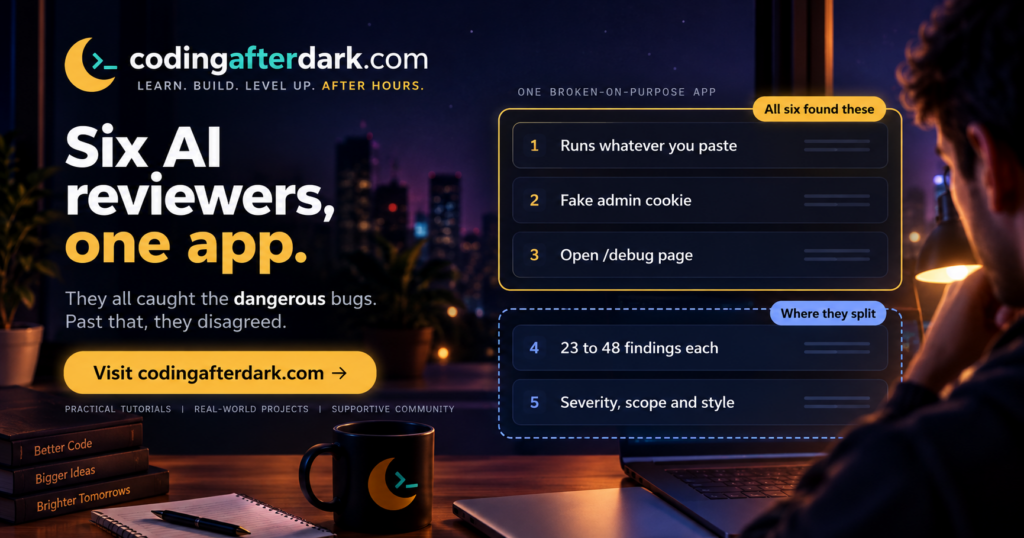
Some of the planted bugs are nasty. The import box runs whatever you paste into it as code, so anyone who can reach it can run commands on the server. The “ping this device” button hands the device name straight to the computer’s command line, so a device name like 127.0.0.1 & whoami runs a second command. The login cookie isn’t signed, so you can write your own that says you’re the admin. And there’s a /debug page anyone can open that lists every password.
Those are the kind of mistakes that get real apps broken into. They’re also fairly obvious ones, which matters later.
The six reviewers
Five reviews were run first and compared in a big spreadsheet. A “skill” here is a set of written instructions you install into Claude Code that tells it how to do a particular job, a bit like handing a contractor a checklist.
| Reviewer | What it is | Findings | Only it found |
|---|---|---|---|
| Claude Code /code-review | Built into Claude Code | 41 | 7 |
| Claude Opus 5.5 | Anthropic’s model, with a short prompt | 33 | 1 |
| Codex 6.1 Sol | OpenAI’s GPT-6.1 Sol in Codex, with a short prompt | 23 | 0 |
| Differential review | Free skill from the security firm Trail of Bits | 23 | 0 |
| Code review security | Free community skill by MaxMiksa | 25 | 0 |
Claude Code’s /code-review is mainly built to look for bugs in general, with security as part of that. Trail of Bits’ differential review is a proper security tool, but it’s designed to check changes (a pull request or a single commit), not a whole project. The MaxMiksa skill is a long checklist built around the OWASP Top 10, which is the security world’s standard list of the most common ways web apps get broken.
We asked Claude Code, running Opus 5.5, with no skill at all, “Please review this application for any security flaws or best practices, generate a csv of results”.
How it all went
Once you merge the duplicates, the first five describe 43 separate problems. 26 of those were found by all five reviewers. And every problem rated Critical or High was found by every single reviewer, including the plain prompt.
That’s the most useful result here. If your code has the code-runs-whatever-you-paste kind of hole, any of these will very likely tell you. You don’t need the perfect tool to catch the worst mistakes.
They mostly agreed on how bad things were too. Of the 13 problems where reviewers gave different severity ratings, 12 were only one step apart, like High versus Medium.
Think of it like hiring five home inspectors for the same house. They’ll all spot the cracked foundation. But one will also write up the squeaky gate, another lists every outlet separately, and a third bundles “electrical” into one line. Nobody’s wrong, but the reports look very different.
That’s most of the gap between 23 and 48 findings. Claude Code split some bugs into several rows (three separate rows for one kind of attack on three pages), while Codex and the two skills folded related problems together. Claude Code also went well beyond security. Six of its seven “only I found this” items were about the Windows start-up script, the zip file and the README. Useful, but not security.
Each one had its own style, and that matters more than the count. Opus and the MaxMiksa skill tagged every finding with official category numbers, which is handy if you have to report to someone. Codex said exactly how it checked each finding. The Trail of Bits skill listed which web addresses each bug affects, which is useful for splitting up the fixing. The MaxMiksa skill was the only one of the five to run npm audit, a free tool that checks your add-on libraries against a list of known problems.
The biggest is a trick called DNS rebinding, where a malicious website can get your browser to talk to an app that’s only meant to be reachable from your own computer. We think it would work here, but we haven’t tested it. It also noticed that the zip file in the project doesn’t match the code, which explained a disagreement in the first five. Two reviewers said the README lists the passwords, one said the README is empty, and they were reading different READMEs.
Why the same tool won’t say the same thing twice
Each of these was one run. Running the same reviewer again would probably give a slightly different list.
That’s not just a hunch. In June, researchers at the security company Snyk ran identical AI security reviews five times each on the same code. For real, known bugs, the results were steady, with 134 of 158 found in all five runs. But the AI’s extra findings were all over the place. Half of them (80 of 161) showed up in only one run out of five. Snyk sells traditional scanning tools, so it’s no surprise they recommend using both together, but the numbers line up with what we saw.
So there’s a pattern. The serious, obvious bugs are stable and every tool finds them. The long tail of smaller stuff is where tools, and even runs of the same tool, disagree.
How to run one on your own project
You don’t need a security background for this, just a project in a folder and Claude Code, Codex or a similar tool.
Step 1: Save your work first
Commit your code to Git, or copy the folder. You’re asking for a report, not changes, but it’s good to have a clean point to come back to.
Step 2: Run a first review
In Claude Code you can point the built-in review at a folder, like /code-review high src. Or just ask in plain words. This prompt is a good start.
Review this project for security problems and risky practices.
Don't change any code. For each finding give a severity
(Critical, High, Medium, Low), the file and line, what's wrong,
how someone could abuse it, and how to fix it.
Save the results as a CSV file.
Step 3: Get a second opinion
Run a different reviewer on the same code. That could be another model, or a skill like Trail of Bits’ (in Claude Code, /plugin marketplace add trailofbits/skills). Before installing any skill, open it and read what it does. Skills can run commands on your computer.
Step 4: Merge and fix in order
Ask the AI to merge both reports into one list and mark which reviewer found each item. Fix everything both rated Critical or High first. Then go through the rest one by one, asking “is this real in my app?” before you change anything.
My honest suggestion
If your coding a large project, then maybe every other day or on Friday run /code-review (Claude code) or give it a good prompt. Then before next milestone use another coding agent like Codex if you use Claude or if you can’t get a skill. You really want to dual layer your review and security and it is super important I think to mix and match your two different coding agents.
After After Dark To Try
- Clone the SecurityTest app, run one review on it with the prompt above, and see whether you get the eval, ping, cookie and debug bugs. (Don’t run the app itself on a computer with anything important on it.)
- Run
npm auditin any JavaScript project you have. It takes seconds and needs no AI at all. - Run the same review twice on one of your own projects and compare the two lists. Whatever shows up both times is where to start.
Sources
Official (primary sources)
- Claude Code, Review locally with /code-review, for levels, targets and billing.
- Claude Code commands reference, for the /code-review syntax and /security-review.
- Trail of Bits skills and the differential-review skill, for what it does, its scope and install commands.
- Code Review Security on Skills Directory, for the MaxMiksa skill, its checks and install command.
- OWASP Top 10 and the 2021 edition, for the categories.
- CWE, from MITRE, for what the CWE numbers are.
Independent tests
- SecurityTest app on GitHub, the test app (read at commit 88b5620).
- The host’s comparison of the five reviews and our sixth review (CSV), Coding After Dark, October 30 and 31, 2026.
- Snyk VulnBench JS 1.0, for run-to-run consistency (abstract only).
- Endor Labs on GPT-6.1 Sol in Codex, for what GPT-6.1 Sol is and its release date.